
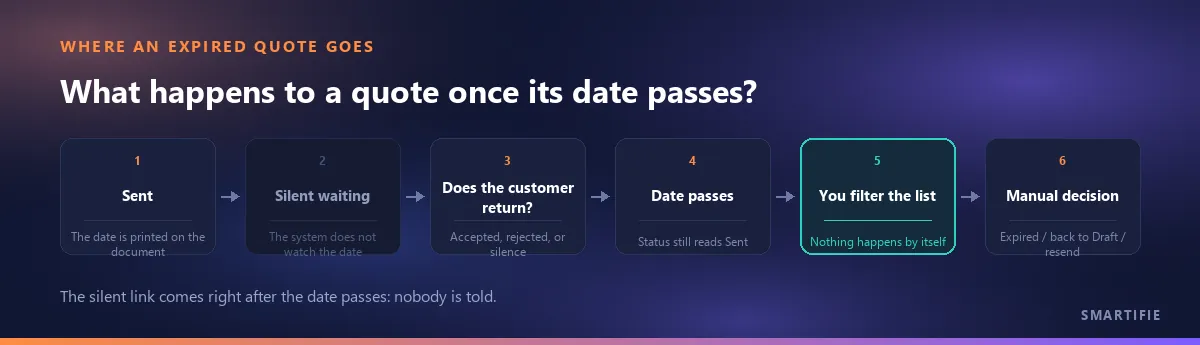
There is a small line printed on the quote: “Valid until 12 September 2026.” That date has come and gone, and the customer has not said a word. Search for advice on this and every guide tells you when to send the next message — day three, week one, a day before the deadline — and some simply assume “your tool will remind you automatically” before you even ask. You look at the screen: the quote still reads “Sent”, no reminder has arrived, because none is coming.
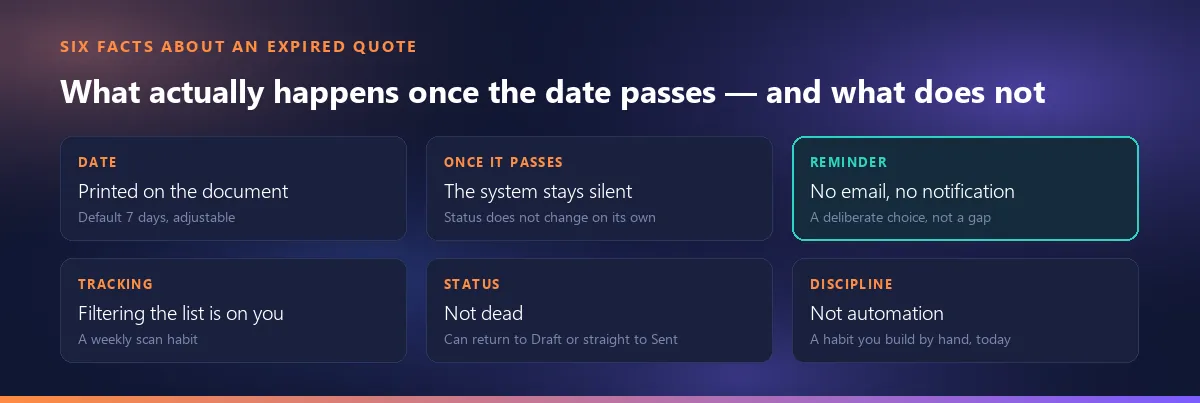
The thesis in one line: a validity date printed on a quote does not mean anything will happen once that date passes. The status does not change on its own, no email goes out, and the quote keeps quietly reading “Sent”. That is not a gap, it is a deliberate decision — the notification layer was cut from scope together with the choice not to email quotes at all — and this article says so plainly, then gives the one thing that actually fills that gap: a habit.
Where does the validity date on a quote come from?
In short: it is a setting, and it is printed on the document. The default is 7 days, adjustable to fit your business; it is calculated when the quote is created and appears next to the totals on the PDF. Why that date exists in the first place, and why on a foreign-currency quote it works like the “expiry date” of a frozen exchange rate, is covered in a separate article and is not repeated here: why the validity period is the rate's insurance.
What changes in the system once the date passes?
Nothing. Even once the printed date has passed, a quote's status does not turn into “Expired” by itself — the screen still reads “Sent”, exactly as if the date had never come. That is not a bug: there is no background job in the product (no scheduled task, no hourly or daily sweep) that scans dates and flips a status. The only thing that turns a quote's status into “Expired” is somebody opening the screen and doing it by hand.
Does the app send you a reminder?
No. This is the honest backbone of this article. No email goes out, no phone notification is pushed, no bell rings for a quote that has expired or is about to. That is not a gap, it is a boundary — the notification layer was cut from scope together with the decision that the product does not email quotes at all. A sentence like “we send the quote to your customer with one click” cannot be built into this product, because a quote is prepared and downloaded; getting it to the customer is your own channel. The same boundary applies here: you build the reminder too, the app does not remember on your behalf.
So how do you catch expired quotes?
No card opens on the dashboard saying “3 quotes have expired” — there is no such counter. The way to catch them is to use the status filter on the quote list and turn it into a regular habit: open the list once a week (once a day in a small team), review the quotes whose date has passed but that still read “Sent”, and decide which ones truly need closing and which need re-pricing and resending. This is not something the software does for you — it is a routine a team builds, which is exactly why it has to be set up on purpose.
It may be easier to build this habit around a real tool: a quote tool that prints the validity date on the document.
Is an expired quote “dead”?
No. Expired is a status, not a trash bin. Even after a quote has been moved there by hand, it can still go back to “Draft”, or straight to “Sent” — because a customer coming back late is not the exception in sales, it is routine. This behaviour is deliberately supported in the product; a team never has to open a brand-new document just to revive an expired quote, they can update and resend the same one.
Is this a missing automation, or a discipline?
The honest answer: today it is a discipline, not automation. Finding an expired quote, calling the customer at the right moment, or re-pricing it, depends entirely on a habit you keep yourself — the software does not do this for you. That has to be said plainly, not as a boast: a team that never sets up this routine will simply watch expired quotes pile up quietly in the list, unnoticed. A team that does set it up gets a result close to what automation would give — it is just run by people, not by the software.
Is a quote pending approval the same as an expired one?
No, these are two completely different stages of a quote's life. The approval threshold is an internal check before sending — a large discount or amount gets caught before the quote ever leaves the building. Expiry is a stage after sending — the quote is already with the customer, and now the question is why they have gone quiet. The two should not be conflated: even though neither one notifies anybody, for the same underlying reason (the notification layer is out of scope), what triggers each and how you deal with it are entirely different: pending approval vs. an expired quote.
What do you tell the customer once it has expired?
What follows here is general sales practice, not a product feature. If a customer comes back after a quote has expired, there are two paths: accept the same price and terms as they stand, or re-price against current cost and exchange rate and issue a new document. The second is the courteous move, because you are telling the customer “that quote expired, here is the current one” rather than “we raised the price” — and in practice a new quote usually carries a new document number, which is a separate topic.
To close, in one line: the date gets printed on the document, but it does not do the chasing. The only thing that does is your own habit of filtering the list regularly — in this tool, that is the sole substitute for a reminder.